From email chaos to 15-minute mornings: an academic’s journey into personal AI systems
Manuel Corpas | January 2026
Alex Lieberman, founder of Morning Brew, recently tweeted something that stopped me mid-scroll:
“I’ve never taken a coding class. I’ve never shipped a piece of software pre-AI, yet I’m now creating vector embeddings of 812,918 messages from the last 5 years of my life.”
I felt seen. Not because our numbers match (mine are smaller), but because the sentiment is identical. I’m a genomics researcher who teaches data science. I’ve spent two decades in academic research, not building software products. Yet last month, I built a system that queries 26,000 of my personal documents using natural language and returns reasoned answers in my own voice.
This is the story of how I did it, what I learnt, and why I think every knowledge worker should be paying attention.
The Problem: 20 Years of Knowledge I Couldn’t Access
Here’s the dirty secret of academic life: we accumulate enormous amounts of institutional knowledge that we can barely search.
My inventory:
- 13,955 Apple Notes spanning 2021-2025
- 11,997 emails from students, collaborators, funding bodies, and university administration
- Countless PDFs, grant applications, meeting notes, and research ideas
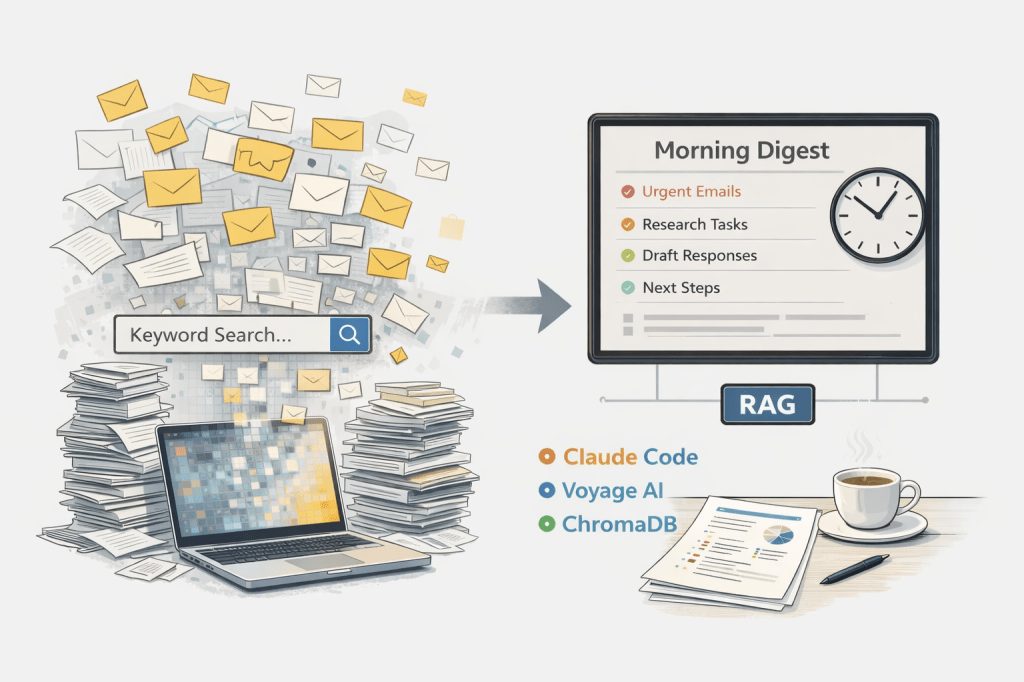
All of this is technically “searchable”. Apple Notes has a search bar. Gmail has operators. But keyword search returns results, not understanding.
When I need to answer “What did I commit to in the Wellcome Trust application?”, I don’t want 47 search results. I want the answer. When a PhD student asks about feedback I gave them six months ago, I want context, not a scavenger hunt.
The cognitive load of managing this accumulated knowledge became a background tax on everything I did. Every email required archaeology. Every meeting required reconstruction. I was spending over two hours each morning just triaging my inbox, trying to remember context that existed somewhere in my digital archive.
The Shift: What Changed in Late 2025
Something tipped over in November 2025.
When Anthropic released Opus 4.5 and Claude Code, something felt different. Not incrementally better, but categorically different. Simon Willison captured it well:
“It genuinely feels to me like GPT-5 and Opus 4.5 represent an inflection point. One of those moments where the models get incrementally better in a way that tips across an invisible capability line where suddenly a whole bunch of much harder coding problems open up.”
I’d been dabbling with AI tools for years. Copilot felt like autocomplete. ChatGPT felt like a clever search engine. But Claude Code felt like delegation. I could describe what I wanted in plain English and watch it happen.
So I decided to build what I’d always wanted: a system that could understand my entire knowledge base and answer questions about it.
The Architecture: What I Actually Built
The system has three layers, each handling a distinct job:
Layer 1: Embedding (Voyage AI)
Every document – notes, emails, PDFs – gets converted into a 1024-dimensional vector using Voyage AI’s voyage-3 model. These vectors capture semantic meaning, not just keywords. “Research priorities” and “what I’m working on” map to similar vectors even though they share no words.
Why Voyage AI instead of OpenAI embeddings? Better retrieval quality for document search, and a cleaner API. The academic in me appreciated that they published benchmarks.
# From my embedding client
EMBEDDING_MODEL = "voyage-3"  # 1024 dimensions

def embed_query(self, text: str) -> List[float]:
    result = self.client.embed(
        texts=[text],
        model=self.model_name,
        input_type="query"
    )
    return result.embeddings[0]
Layer 2: Storage (ChromaDB)
All vectors live in ChromaDB, an open-source vector database that runs entirely on my laptop. This was non-negotiable. My notes contain student information, research ideas, institutional correspondence – data that cannot live on someone else’s server.
ChromaDB gives me:
- Local-first storage (no cloud dependency)
- Persistent embeddings (survives restarts)
- Fast similarity search (around 50ms for 14,000 documents)
Current stats from my system:
Connected. Documents: 13,955
Source distribution:
  apple_notes: 13,955 (100%)
The email embeddings are next on my roadmap.
Layer 3: Reasoning (Claude)
Here’s where things get interesting. When I query the system, it:
- Embeds my question using Voyage AI
- Retrieves the 5-10 most relevant document chunks from ChromaDB
- Constructs a prompt with my identity, goals, and the retrieved context
- Sends it to Claude, which synthesises a coherent answer
The key insight: Claude doesn’t just summarise. It reasons. I built a system prompt that positions Claude as my internal reasoning engine:
system_msg = (
    "You are the internal reasoning engine for Dr Manuel Corpas - "
    "a senior lecturer in genomics, AI, data science, and health equity. "
    "Your job is to turn memory fragments (emails, notes, documents) into "
    "clear, structured, actionable insights."
)
The result? I ask questions in plain English, and I get answers that sound like me, grounded in my actual documents.
The Query Interface: Plain English, Real Answers
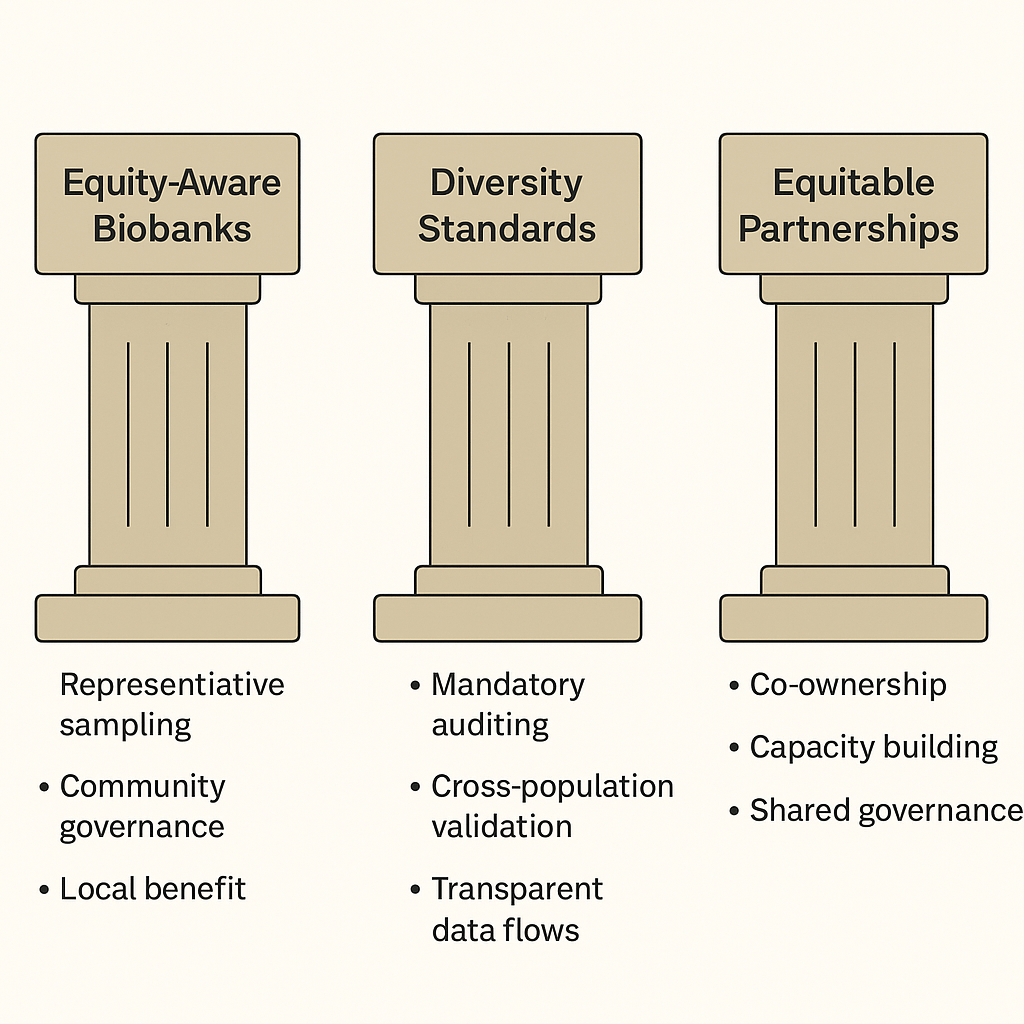
Let me show you what this looks like in practice. I’ve been developing HEIM (Health Equity Informative Marker), a metric for measuring equity in biomedical data science. The project spans dozens of notes over several months. When I query:
Query: “What is HEIM?”
The system retrieves five relevant note fragments, then synthesises them into a coherent answer:
corpas-core – python3.11
The answer includes:
- The core concept (h-index for health equity)
- The mathematical framework (H-R, H-S, H-F components)
- Concrete baseline scores for major biobanks (UK Biobank: 0.65, All of Us: 0.70)
- Actionable next steps specific to my project
This would have taken me 20 minutes to reconstruct manually – hunting through notes, remembering which fragments were where. Now it takes seconds, and the synthesis is often better than what I’d produce tired on a Monday morning.
Other queries I use regularly:
- “What feedback did I give [student] about their dissertation proposal?”
- “Summarise my correspondence with [collaborator] about the genome project”
- “What are my commitments for next week?”
The difference from traditional search is night and day. I’m not scrolling through results. I’m reading an answer.
The Morning Digest: From 2 Hours to 15 Minutes
The query interface was a big improvement. But the real unlock was automation.
I built a morning digest system that runs at 7am every day. Here’s what it does:
- Fetches overnight emails from Apple Mail using AppleScript
- Classifies each email by type and urgency (Institutional Admin, Student Support, Research Collaboration, Political Friction, etc.)
- Retrieves relevant context from my RAG system for each email
- Generates draft responses grounded in my historical correspondence
- Produces a single-page digest for my 5-minute review
Before this system, my morning routine was:
- Open inbox (47 unread emails)
- Spend 2 hours triaging, context-switching, drafting responses
- Feel exhausted before real work begins
After:
- Open digest (1 page)
- Review classifications and draft responses (15 minutes)
- Approve, edit, or flag for manual handling
- Move on with my day
The drafts aren’t perfect. Maybe 80% are usable with minor edits. But the time savings compound. Those 1 hour 45 minutes back, every single day, add up to something significant.
What I Learnt: Domain Expertise Matters More Than Engineering
Here’s what surprised me most: building this system didn’t require becoming a software engineer.
I’m not writing distributed systems. I’m not optimising database queries. I’m connecting three excellent tools (Voyage AI, ChromaDB, Claude) with straightforward Python scripts. The hard part isn’t the code – it’s knowing what questions to ask and how to structure the prompts.
Ethan Mollick from Wharton put it well:
“When you see how people use Claude Code, it becomes clear that managing agents is really a management problem. Can you specify goals? Can you provide context? Can you divide up tasks? Can you give feedback? These are teachable skills.”
My 20 years of domain expertise – understanding what matters in academic correspondence, knowing how research projects evolve, having intuition about institutional dynamics – that’s the actual advantage. The tools just caught up to make that expertise deployable.
The Limitations: An Honest Assessment
This system isn’t magic, and pretending otherwise would undermine its real value.
Retrieval isn’t perfect. Sometimes the system pulls documents that seem relevant but miss the point. Semantic similarity isn’t the same as conceptual relevance. I’m still tuning chunk sizes and retrieval parameters.
The reasoning layer needs human oversight. Claude occasionally confabulates – synthesising plausible-sounding answers that don’t quite match the source documents. I always verify high-stakes outputs against the retrieved context.
Draft responses need editing. The 80% usability rate means 20% need significant revision or complete rewrites. The system handles routine correspondence well; nuanced political situations still require human judgement.
Initial setup took real time. Exporting 14,000 Apple Notes, cleaning the data, tuning the embedding pipeline – this wasn’t a weekend project. Expect 20-40 hours of focused work to get a system like this running well.
Noam Brown, a researcher at OpenAI, shared a humbling anecdote about Claude Code making basic reasoning errors in a poker algorithm. These tools are powerful but not infallible. Sceptical verification remains essential.
What’s Next: The Roadmap
This is version 1.0. Here’s what I’m building toward:
Expanding sources: Adding my email archive (11,997 messages waiting to be embedded), PDFs of papers I’ve written and reviewed, calendar data for scheduling context.
Feedback loops: When I edit a draft response, the system should learn from that correction. This is the path from 80% usability to 95%.
Web interface: The terminal works for me, but I want a clean web UI that I can access from my phone.
“Claude as Chief of Staff”: The vision isn’t just email triage. It’s comprehensive administrative support – meeting prep, research synthesis, correspondence management, scheduling. Alex Vanovvic shared that he’s using Claude Code exactly this way: “Basically, Claude is my chief of staff now.”
How to Get Started
You don’t need to build from scratch. Here’s a graduated path:
Level 1: Just Start (Today)
Download Claude Desktop. Toggle on Claude Code. Point it at a folder of documents and ask questions. You’ll immediately feel the difference between “search” and “understanding”.
Level 2: Structured Automation (This Week)
Use Replit or Lovable to build simple automations. Email summaries, document organisation, meeting note synthesis. No local infrastructure required.
Level 3: Full Local Stack (This Month)
If you want complete control over your data:
- ChromaDB for vector storage
- Voyage AI for embeddings
- Claude API for reasoning
- Python scripts to orchestrate
This is what I built. It’s not trivial, but it’s not rocket science either. The tools have matured to the point where a determined academic can build production-grade personal infrastructure.
The Bigger Picture
Nathaniel Whittemore, host of the AI Daily Brief podcast, recently covered the explosion of excitement around Claude Code. He quoted people from Google, Midjourney, 37signals – all expressing variations of the same sentiment: something fundamental has shifted.
But here’s what I noticed about the people being quoted: they’re not fundamentally more technical than you or me. They’re building things with these tools and talking about them publicly.
Dan Shipper wrote about collapsing 6 months of work into one week. David Holz tweeted about doing more personal coding projects over Christmas than in the last decade. A principal engineer at Google shared how Claude Code recreated a year of his team’s work in an hour.
The pattern is clear: the people shaping this narrative are the ones who ship and share.
I’m not an AI influencer. I’m an academic who got tired of losing hours to email archaeology. But if my experience helps even one other knowledge worker reclaim their time, this blog post will have been worth writing.
The tools are here. The only question is what you’ll build with them.
Resources
- Voyage AI – Embeddings API
- ChromaDB – Vector database
- Claude Code – Anthropic’s CLI agent
- AI Daily Brief Podcast – Where I first heard the “Claude Code Era” framing
Manuel Corpas is a Senior Lecturer in Genomics and Data Science. He writes about AI, health equity, and the future of academic work at manuelcorpas.com. Find him on Twitter @manuelcorpas and LinkedIn.
If you’re building something similar, I’d love to hear about it. Drop me a message on Twitter or LinkedIn.





























 Manuel Corpas
Leave a comment