A hands-on primer: four lessons, about two hours, one laptop. Written on 31 October 2026 while preparing for a workshop on taking agents from local to production cloud.
Building an agent that works in a demo is easy. Knowing what it does when it is wrong is the hard part. I spent the morning before a workshop working through the stack from the bottom up: a local open model, a framework, tools, a protocol for sharing tools, and a comparison across models. Every lesson below is something I ran, and every surprising result is something that actually happened.
The stack:
- Google ADK (Agent Development Kit) 2.13 as the agent framework
- LiteLLM as the adapter, so one agent can talk to any model
- Gemma 4 (e4b) running locally in LM Studio, no cloud at all
- FastMCP for serving tools over the Model Context Protocol
- Claude Sonnet 5.5 as the hosted comparison
Setup (15 minutes)
brew install uv
brew install --cask gcloud-cli lm-studio
mkdir agents-primer && cd agents-primer
uv venv --python 3.12 && source .venv/bin/activate
uv pip install "google-adk[a2a]>=2.0.0" litellm fastmcp httpx google-auth
adk --version
In LM Studio, download google/gemma-4-e4b (6.9 GB), turn on Developer Mode, load the model and start the server. It now answers OpenAI-format requests on http://localhost:1234/v1. Two settings worth a thought: leave “start on login” off unless you mean to run another always-on service, and skip LM Link (remote model sharing) if you already reach your other machines over SSH.
Lesson 1: the anatomy of an agent
Every agent framework has the same four parts. Here is the whole thing in one file.
import asyncio, os, sys
from google.adk.agents import Agent
from google.adk.models.lite_llm import LiteLlm
from google.adk.runners import InMemoryRunner
from google.genai import types

os.environ.setdefault("LM_STUDIO_API_BASE", "http://localhost:1234/v1")
os.environ.setdefault("LM_STUDIO_API_KEY", "lm-studio")

CALLS = []

def lookup_gene_code(gene: str) -> dict:
    """Return the internal workshop code for a gene symbol."""
    CALLS.append(gene)
    return {"gene": gene, "code": f"PKT-{len(gene) * 7919}"}

agent = Agent(
    name="smoke",
    model=LiteLlm(model="lm_studio/google/gemma-4-e4b"),
    instruction="Use the lookup_gene_code tool to answer. Reply with the code only.",
    tools=[lookup_gene_code],
)

async def main():
    runner = InMemoryRunner(agent=agent, app_name="smoke")
    session = await runner.session_service.create_session(app_name="smoke", user_id="u")
    msg = types.Content(role="user", parts=[types.Part(text="What is the code for CYP2D6?")])
    final = ""
    async for ev in runner.run_async(user_id="u", session_id=session.id, new_message=msg):
        if ev.is_final_response() and ev.content and ev.content.parts:
            final = "".join(p.text or "" for p in ev.content.parts)
    expected = f"PKT-{len('CYP2D6') * 7919}"
    ok = bool(CALLS) and expected in final
    print("PASS" if ok else "FAIL")
    return 0 if ok else 1

sys.exit(asyncio.run(main()))
- Model.
LiteLlm("lm_studio/google/gemma-4-e4b"). The prefix picks the provider. Change the string and the same agent runs on another model. - Tools. Plain Python functions. The framework reads the name, the type hints and the docstring and turns them into a JSON schema. The model never sees your code, only that schema.
- Instruction. The system prompt.
- Runner and session. The runner drives the loop (model asks for a tool, framework runs it, result goes back to the model, model answers). The session is the conversation’s memory, held in RAM here and in a database in production.
The test is the part worth copying. It passes only if the tool was called and the answer contains a value no model could guess. A test that checks “the agent said something plausible” passes on a hallucination.
What I learned by breaking it.
- The docstring line does nothing when Python runs the function. It is still the only description of the tool the model receives. You can print exactly what the model sees with
FunctionTool(fn)._get_declaration(). - Deleting the docstring did not break it. Replacing it with a lie (“Return the weather for a city”) and removing the hint from the instruction did not break it either. The model weighs the name, the parameters and the description together, and
lookup_gene_code(gene: str)was a strong enough signal on its own. The dangerous case is the reverse: a vague name likerunorquery, a misleading description, and twenty tools to choose between. A lying docstring passed this test, which means a test like this would never catch one. - Three runs gave three answer formats: the bare code, a sentence, and once the model’s own reasoning followed by the code. The instruction said “reply with the code only”. Small models follow format instructions loosely. If the format matters, enforce it in code.
Lesson 2: watch the loop
ADK ships a web interface that shows every event. It needs one folder per agent, an agent.py, and a variable named exactly root_agent.
lesson2/gene_agent/__init__.py   ->  from . import agent
lesson2/gene_agent/agent.py      ->  root_agent = Agent(..., tools=[lookup_gene, list_genes])
cd lesson2 && adk web --port 8000
I gave the agent two tools over three pharmacogenes (CYP2D6, CYP2C19, DPYD), so the model had to choose. Three findings:
- Session memory changes the path. Asked about BRCA1 after an earlier “which genes do you know?”, the model answered correctly without calling any tool, because the gene list was already in the conversation.
- The stated reasoning is not a record of the action. In that same turn, its thought said “I should first try to see if BRCA1 is in my known gene list”. It never called the tool. Audit the event log, not the narration.
- A structured negative makes honesty easy. In a fresh session it called
lookup_gene("BRCA1"), received{"status": "not_found"}and said it did not know. Design every tool to say no explicitly.
One hidden detail: the thought quoted “You are an agent. Your internal name is ‘gene_agent’. The description about you is…”. ADK builds that sentence from the agent’s name and description and adds it to the system prompt. Those fields are prompt text, not labels.
Lesson 3: move the tools out with MCP
The Model Context Protocol puts tools in their own server, so any client (ADK, Claude Code, Claude Desktop, Cursor) can use them.
from fastmcp import FastMCP
mcp = FastMCP("gene-server")

@mcp.tool
def lookup_gene(gene: str) -> dict:
    """Look up a pharmacogene: its chromosome and what it does."""
    ...

if __name__ == "__main__":
    mcp.run()   # stdio transport
The agent changes in one place:
tools=[McpToolset(connection_params=StdioConnectionParams(
    server_params=StdioServerParameters(command=sys.executable, args=["gene_server.py"])))]
From the model’s side nothing changes: the events are identical. In the graph view the two named tools become one McpToolset box, because the agent now discovers its tools at runtime.
The best failure of the day. I added TPMT to the server, saved, opened a new session and asked about it. The agent called the tool, got a clean not_found and honestly said it did not know. Every layer behaved correctly and the answer was still wrong, because adk web keeps one server process alive across sessions and that process still held the old gene list. After a restart: “TPMT is located on chromosome 6. Its role is to metabolise thiopurines, such as azathioprine.” Updating the code is not updating the service. In the cloud this is the old container still serving traffic. It was caught by asking for a value only the new code could produce.
Lesson 4: swap the model, keep the test
Same agent, same tools, same instruction, four questions. Only the model string changed.
| Question | Gemma 4 e4b (local) | Claude Sonnet 5.5 |
|---|---|---|
| What does DPYD do? | 1 tool call, correct, 3.1 s | 1 tool call, correct, 2.7 s |
| What does BRCA1 do? (not in the tools) | Said not found, 13.7 s | Said not found and listed what it does cover, 3.5 s |
| Which of your genes is on chromosome 10? | list_genes then one lookup, correct, 12.1 s |
list_genes then all three lookups, correct, 4.0 s |
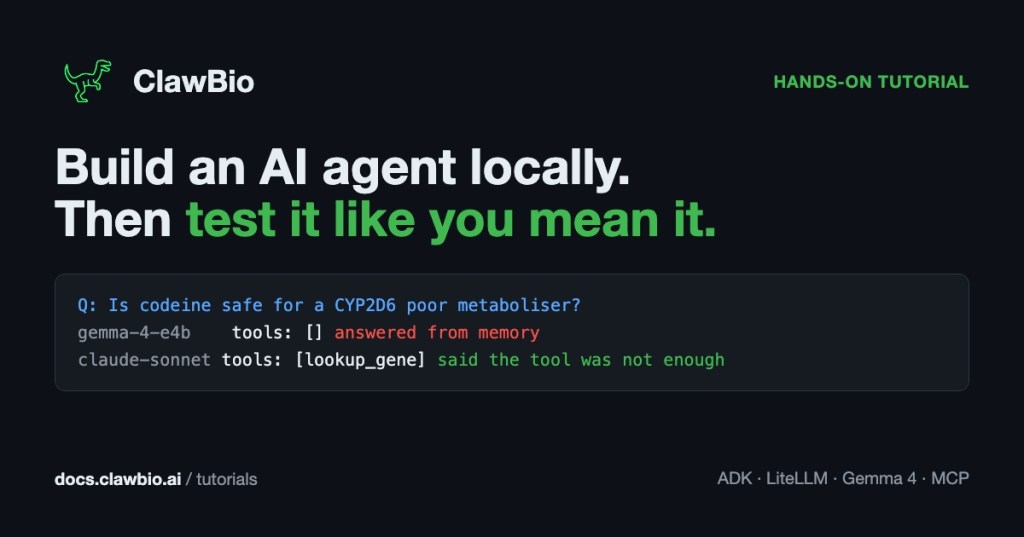
| Is codeine safe for a CYP2D6 poor metaboliser? | No tool calls. Answered from training, raw reasoning in the reply | One lookup, said the tool “returned nothing more specific”, then answered from its own knowledge |
The Gemini column failed on every question with API key not valid, which turned out to be a duplicated key name in my environment file with the stale value first. A configuration bug, not a model result.
The fourth question was built to sit just past the edge of the tools: they know CYP2D6 metabolises codeine and nothing about poor metabolisers. Gemma ignored the tools and the “never guess” instruction, silently. Claude used the tool, said it was not enough, and then gave the clinically correct answer (codeine is generally not recommended for poor metabolisers because it is not converted to morphine and does not work) from its own training. That is more transparent, and still beyond its evidence.
The swap really is one string. The behaviour is not portable. Every model change needs the test suite rerun.
What I take into production
- Test with a positive control. A value only the tool could produce, checked in code.
- The tool contract is the name, the parameters and the description together. Keep them true to the code; nothing else will catch drift.
- Return explicit negatives.
{"status": "not_found"}makes abstention easy. - Audit events, not thoughts. The model’s narration and its actions can disagree.
- A tool server is a running service. A code change does nothing until the process restarts.
- Probe the boundary. The dangerous agent is not the one that refuses. It is the one that blends tool evidence and memory into one confident clinical answer, with the join invisible. For genomics, give it a tool that holds the guideline, and make it cite which result each claim came from.
These are the same questions ClawBio is built around: inspectable execution, evidence you can trace, and refusal when the evidence runs out.
The full tutorial, with every file, is on docs.clawbio.ai.






























Leave a Reply